
A report on the innovations done at Asha Chennai over the year 2025.
Innovation @ Asha Chennai – 2025
Dec 2025 by Rajaraman Krishnan, volunteer Asha Chennai
Asha Chennai has always focused on research and innovation in terms of understanding the problems that confront education for the underprivileged and experimenting to find the right solution for the problem whether it be in identifying the right processes, developing the right curriculum or even finding the right way to monitor and evaluate our solution. This aspect of Asha Chennai received a big boost in Dec 2024 as we were recognized by Amazon for the innovative work that we were doing and we award the Amazon Innovation Grant of $100K. This helped us take these kinds of innovations we do even further during the last year. In this report we capture some of the innovations we have brought in during the last year.
SNo | Innovation | Description | Programs Impacted |
| 1. Asha Kanini Software and Contents | |||
| 1a | New Method for mapping contents | Asha Kanini v4 separates contents and mapping into different DB tables. Further we have provided the ability to search using the old textbook and assign the contents to new textbook lesson which speeds up the process for new textbook migration. | Sprint |
| 1b | MESL Activities | One hour discrete activities for teaching important concepts in each subject (8 per year) which incorporates classroom activities, computer based activities and reinforces the concepts with pen and paper. | Sprint |
| 2. Computer Science Curriculum | |||
| 2a | Course Designing and Development | Our software development team has been working with teams of teachers to develop new courses. This has been working successfully. | All Programs |
| 2b | ACE Year 2 Curriculum | We have started with the Basic programming RTC course and enhanced it to create a Scratch based programming curriculum for ACE year 2. As we are piloting this we are also piloting a set of schools teaching programming with Code.org’s CSF Express. It provides us the opportunity to compare the two. | ACE |
| 2c | AI Activities for Explore | Like discrete DL activities, we have created discrete AI activities. These are largely based on the activities already there in the Govt’s Spark program. We expect to pick activities from Code.org’s Hour of AI as well. | Explore |
| 2d | AI extensions to Sprint | We are bringing the Code.org’s physical computing course into the 8th standard in our 8-year curriculum. We are also starting the process of incorporating AI into our 1 to 8 CS curriculum. | Sprint |
| 2e | AI Course | A full course which will teach the use of AI, how AI works and finally how to use it in a solution of their own. This has just started. | RTC |
| 2f | Web Development 2.0 | This is a full-stack web development course. As the students have already learnt HTML and CSS in Web Development 1.0, we focus on the server side technologies and DB here. | RTC |
| 2g | Robotics Courses | We have introduced a Robotics 1.0 course which will move them beyond the physical computing course to handle different kinds of motors, relay circuits and other actuators in addition to attaching and using various third party sensor with our Circuit Playground Express board. | RTC |
| 3. Input, Output and Outcome Tracking | |||
| 3a | Asset Tracker | We have developed a sophisticated QR code based asset tracking for all our 2000+ computers under our management. We have also developed a pinger app to monitor if the computer is being regularly used. | All programs |
| 3b | Output Tracker | Forms for teachers to report their work and an approval process around the same has been implemented for Explore, ACE, RTC, Sprint-CS and Sprint-KaradiPath teachers. Informative tracker dashboards have been provided for each of these programs as well. | All Programs |
| 3c | 3rd Term Endline | We were doing baseline and endline assessments with Northstar’s toolkit. We are doing that now for those who have completed their 3rd term as well which validates for the stickiness of their Digital Literacy learning. | RTC |
| 3d | Assessment Analytics | As we did a thorough analysis of our Maths, English, Tamil and CS assessment data in primary and middle schools, we have extended our analysis capability by building several more analysis capabilities into our server. | Sprint |
| 4. Processes at our Programs | |||
| 4a | Infrastructure at our RTCs | We have been ramping up the infrastructure at our RTCs with 3D printers, Drones and big screen TVs. | RTC |
| 4b | Amazon TIS MakerSpace visits | We have been taking our RTC students to the Amazon-TIS Makerspace in Bengaluru to get exposure to Robotics, Drones, 3D printing etc. | RTC |
| 4c | Teacher Training model | We follow the “Teacher as a Lead Learner” model for our ACE teacher training. We combine this with bringing immediacy to the training (i.e. lessons to be taught within one month of the training) and support at the point of delivery (trainers to visit the school, and infrastructure problems also addressed at the school). We use variants of this model in our other programs as well. | All Programs |
| 4d | Teachers as Software Developers | We have been giving opportunities for teachers with good computer science skills to try their hands at development. This serves to enhance their skills and also contribute to our software development. Further for teachers who are considering a career switch, this also provides that opportunity in-house. | All Programs |
| 4e | Certificate Distribution Function | These functions extend the opportunity to present their work from the podium to a larger number of students and also take our work to the community. | RTC |
| 4f | Third Party Impact Assessment | We engaged AuxoHub to do an independent Impact Assessment of our RTC and ACE programs. This will help us in donor communication as well as provide a valuable external perspective on our programs. | ACE and RTC |
Please find the details of these innovations in the sections below.
Asha Kanini Software and Contents
Asha has developed the Asha Kanini software to provide an easy way for teachers to access digital contents relevant for their lessons. The software and the contents already had several innovations in their (like being network independent, digital lesson plans we have curated to provide a simple collection of all contents they will need to teach a lesson, etc. We are continuing to improve both the software and the contents. Here are couple of these innovations.
New method for mapping contents
Asha Kanini Version 4, launched in late 2024, introduced a significant enhancement in the form of a Mapping Dashboard. This feature is primarily designed to support teachers who regularly align digital learning content with the various government textbooks for different subjects. Whenever textbooks or lesson structures are revised by the authorities, a substantial amount of manual effort is typically required to re-map content to the updated framework. The Mapping Dashboard addresses this challenge by integrating Asha Kanini’s robust search capabilities with a streamlined mapping workflow, enabling teachers to efficiently transfer existing mappings to newly introduced textbooks and lessons. The system generates a ready-to-upload mapping file, thereby simplifying the adaptation process. Through this innovation, Asha Kanini ensures that its digital content remains continually relevant and aligned with evolving curricular standards, while significantly reducing teachers’ workload and supporting smoother transitions during periods of educational reform.
MESL activities
Over the last 2 or 3 years Asha Chennai’s teachers have developed lesson plans to teach every lesson in English, Maths and Science. These lesson plan provide pre-test and post-tests, contents for teaching the concepts, contents for children to practice, etc. However, these are designed for teachers who use Asha Kanini most of the time. What if a teacher occasionally gets a class with computers and would like to do some activity associated with a lesson in the curriculum but not use Asha Kanini to teach the whole lesson?

To address this need, we create these MESL (Maths, English, Science and Logical Reasoning) activities package of contents. The idea with each of these activities is to clarify a concept and build competence. We set about to create 8 activities per year for each of the subjects. Our own computer teachers will use these activities in addition to teaching CS lessons in the curriculum.
Each of these MESL activity comprises of 3 parts:
- Offline activity like a story or a classroom game.
- Online activity which reinforces the concept.
- A pen-and-paper activity which ensures the concept learned is also transferred to the standard verbal mode.
The teachers executing it will need to take with them some manipulatives (like dice or a deck of cards) or a set of worksheets to execute some of the activities. We have equipped all our computer teachers with the same.


These MESL activities were created during 2023-24. These got completed and made available through Asha Kanini in 2024-25. In addition, the output reporting tool for the Sprint-CS teachers, provides option for them to report teaching an activity from these MESL activities.
Computer Science Curriculum
Asha Chennai has been teaching Computer Science through various programs.
Sprint A 8-year CS curriculum for classes 1 to 8. Te 40 hours per year is also shared with the MESL activities mentioned above.
Explore A set of discrete activities largely independent of each other to be delivered to class 6 to 9 students.
ACE A 2 year curriculum covering Digital Literacy in the first year and Programming in the second year for class 6 to 9 students. This is taught by government teachers who are trained by Asha trainers.
RTC A series of 6-month long courses which assume about 60 hours per course taking the students beyond basic digital literacy and programming.
The first section below talks about the process by which the courses are being created. The second section talks about our broad approach to Artificial Intelligence which impacts the curriculum in all our programs. The rest of the sections talk about specific new courses and curriculum changes.
Course Designing and Development
See the “Courses Offered” section below for more details about the courses. The first two courses in basic digital literacy and basic programming (Scratch) were compressed versions of our old Eight-year curriculum. The first 3 Advanced Courses that came after that were courses from Code.org’s CS Discoveries (Web Development, Javascript Animations and Physical Computing). Then we started designing our own advanced courses.
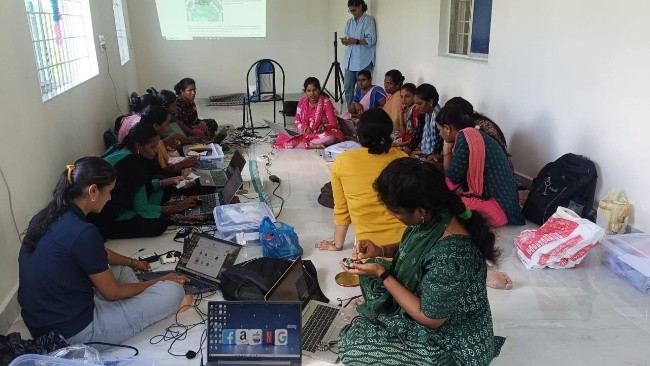
Volunteers work with our own software development team in Chennai to first give the basic structure of the course. Then the developer team works with a teacher team from the RTCs to specify the details of the course and to create a 30-hour lesson plans for the same. The lesson plans are typically done by the teacher teams. This way we have been able to create a set of technically sound courses which are also at a level that is suitable for the students. The new courses designed in this manner include,
- Media Editing – One of our most successful and popular courses offered now by most RTCs.
- Web Development 2.0 – The first version of it was too long. We have created another version that is more suitable for the 6-month terms at our RTCs. It is being implemented in 2 RTCs.
- Robotics 1.0 – This has been designed and is being rolled out in 3 RTCs. It is one of the most anticipated courses and by next term expected to be offered in most of our RTCs.
- Artificial Intelligence – We expect to have this ready by the Feb 2026 term.
- Robotics 2.0 – This will be ready by the Aug 2026 term.
Artificial Intelligence
We have been looking at introducing Artificial Intelligence in all the programs that we are doing. While teaching AI, we keep in mind the following aspects.
- AI Literacy – How to use AI in real life? Various aspects in terms of text, images, music, coding etc. Incorporating it into what they are learning. Understanding bias, and safety procedures.
- How does AI work? How does machine learning and LLMs work?
- Incorporate AI into a broader solution of theirs. Prompt engineering, Customising LLMs, etc.
We are in the process of incorporating AI into our various programs.
AI Activities for Explore
In addition to the existing digital literacy activities, we have now introduced a new set of One-Hour AI Activities under the Explore programme. These are standalone, flexible lessons that teachers can select and deliver independently. Each of these lessons are designed to provide students with hands-on exposure to Artificial Intelligence concepts and tools. Rather than focusing solely on procedural use of AI applications, the activities adopt a black-box pedagogical approach, emphasizing intuitive understanding of how AI works and how it can be applied meaningfully in real-world contexts. Many of the featured tools are aligned with the latest AI-integrated Spark curriculum introduced by the Tamil Nadu Government. Additional activities adapted from Code.org’s Hour of AI initiative are in the pipeline. The objective is to enable students to explore diverse aspects of AI, develop responsible and effective usage skills and cultivate curiosity about emerging technologies in a manner that is engaging, age-appropriate, and future-ready.
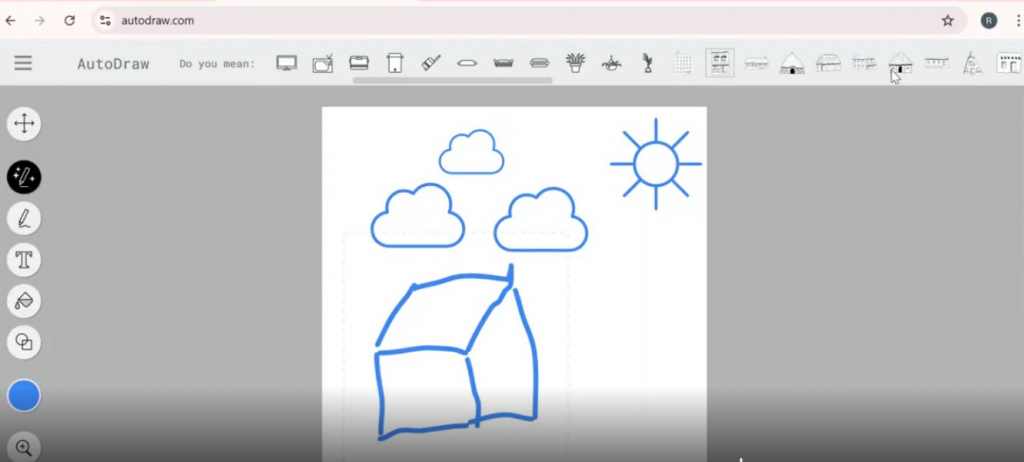
The AI activities are structured in such a way that it encourages students to learn through creation and exploration. For instance, learners generate a short story using an AI writing tool and then illustrate it using an AI-based drawing application such as AutoDraw, which predicts possible images from their sketch strokes. This naturally opens up opportunities to discuss how AI recognises patterns and offers suggestions based on partial information. Students also work with familiar tools like Google Translate and Google Lens to observe how AI interprets language and identifies objects in real time. Through such simple, hands-on experiences, children gain an intuitive understanding of how AI functions in the technology they encounter every day, helping them build curiosity and confidence in engaging with emerging digital tools.
AI extensions to our 8-year CS Curriculum
Our Sprint program has been implementing an 8 year CS curriculum in the 190+ schools that we support. Classes 6 to 8 were covering programming through unplugged activities, Blockly Games and Scratch. This was finishing in the 8th standard with an assessment and project work on Scratch. This is being compressed so that programming will be completed by the 7th std and then 8th std will implement Physical Computing. The broad curriculum for the 8 years will be as follows.
1st/2nd Stds – Build familiarity with computers using educational games.
3rd std – Develop ideas of persistence and computers capabilities through TuxPaint.
4th and 5th Stds – Basics of Windows UI and Office software (Text document, Spreadsheet and Presentation). Culminate in a Presentation project in 5th std. Assessment in DL also in 5th std.
6th and 7th stds – Programmming through unplugged activities, Blockly games and then Scratch. Culminate in Programming project in 7th std. Assessment in Programming also in 7th Std.
8th std – Physical computing with a CPX board using Code.org’s physical computing course. Culminate in Physical Computing project as well as assessment in Physical Computing.
We are planning to add AI activities starting from class 3. From class 6 onwards, these will also align with the activities already in their Spark curriculum.
AI course for the RTC
An AI course is being developed for students at the RTC to strengthen their understanding of modern AI technologies.
The course is structured in three progressive parts. The first phase focuses on familiarizing learners with a range of AI tools and their practical use in everyday contexts. The second phase introduces foundational concepts behind AI systems, including how generative AI and large language models function, how they are trained and how their behaviour can be tuned to meet specific needs. The final phase will focus on application, guiding students to integrate AI capabilities into simple web pages by developing basic code, embedding models and designing meaningful prompts for interaction.
The course will also emphasize responsible AI practices, addressing key topics such as ethics, data safety and appropriate usage. It is an essential dimension as students begin interacting more closely with AI systems. With only knowledge of HTML and CSS required at the start, the course aims to empower students to confidently build AI-powered web experiences while using these technologies thoughtfully and safely.
Web Development 2.0
This course is designed to give students a strong introduction to full-stack application development. It builds on the foundational skills from Web Development 1.0 (HTML and CSS) and expands into front-end programming, server-side development, and backend integration. Students progressively develop a complete website as they learn, allowing concepts to be layered and reinforced rather than treated in isolation. This approach also strengthens their ability to modify existing code, debug and test functionality, and ultimately deploy a working web application.
The curriculum introduces basic networking concepts such as HTTP/HTTPS, requests and responses, sessions, and timeouts, helping students understand how web systems operate under the hood. The course uses JavaScript throughout the stack, with Node.js and Express.js for server-side development, MySQL for database operations, and EJS for client-side rendering. By the end of the course, students will have gained practical experience in developing dynamic web applications.
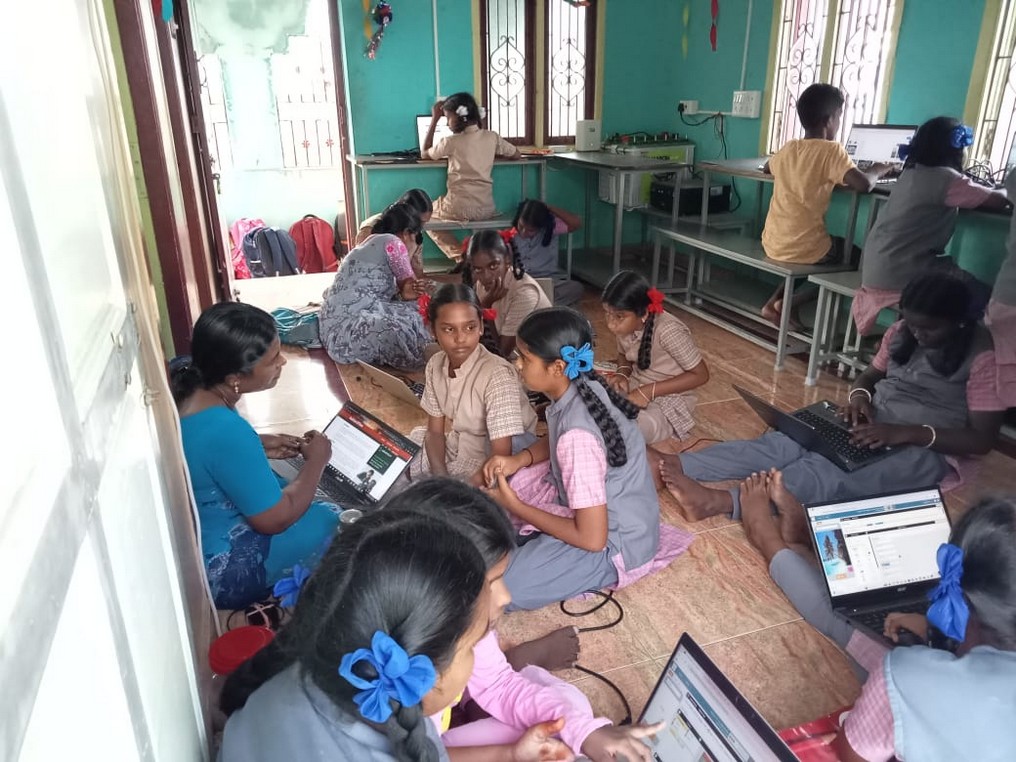
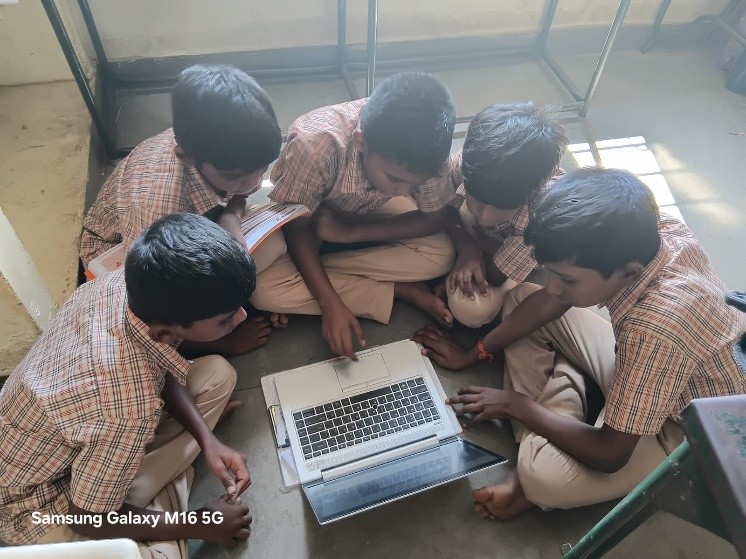
An essential part of the course, in line with Asha’s pedagogy, is a comprehensive project through which students design, build, and deploy their own full-stack web application. The learning experience throughout the course is intentionally hands-on and iterative, enabling students to explore, experiment, and see the direct impact of each concept as they build and refine a real-world product.
Courses in Robotics
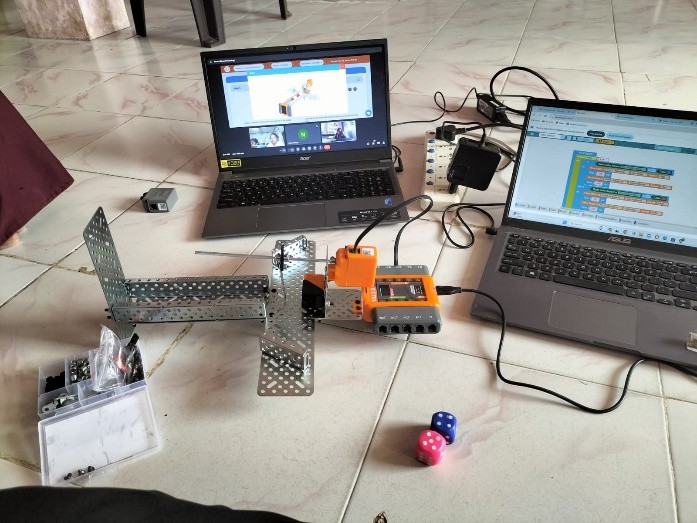
The Robotics 1.0 introduces students to the fundamentals of robotics using the Circuit Playground Express (CPX) board, building on the physical computing concepts they have already experienced through the code.org course. Through progressive, hands-on activities, students learn how to connect and program a wide range of sensors and actuators using CircuitPython, starting with the built-in capabilities of CPX and later extending to external components.
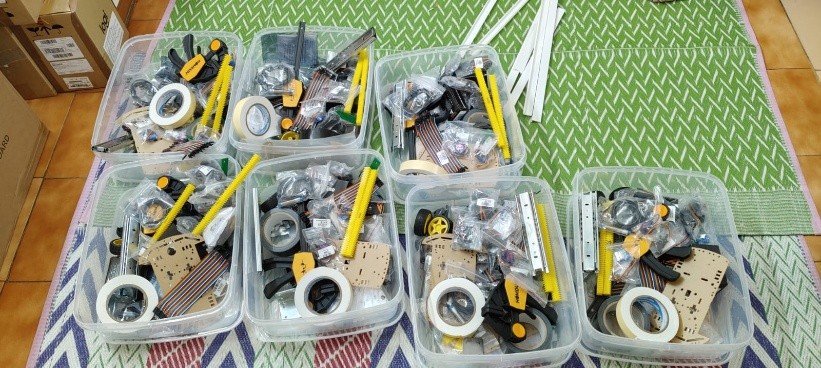
The curriculum emphasizes practical electronics, understanding inputs and outputs, processing sensor data and controlling motors to create purposeful movement and behaviour. A key aspect of this course is the robotics kit itself, which is designed using accessible, standard hardware components such as telescopic slides to demonstrate rack-and-pinion mechanisms, along with generic sensors and motors. By avoiding highly specialised parts, students are encouraged to design creatively and innovate using materials that are commonly available in everyday environments.
The Crickit board add-on further expands possibilities, enabling learners to prototype moving robots such as rovers, sliding gates, environmental monitors and multi-joint robotic arms. Throughout the course, debugging and iterative design are embedded as essential engineering skills. The learning culminates in a final project where students design, build, program and refine a robot of their own, applying the full range of technical and creative skills developed during the course.
The next level will extend these skills into more advanced course Robotics 2.0 by introducing ESP-series microcontrollers, encoder-based motors for open- and closed-loop control, enhanced structural mechanics and advanced sensors. Students will also explore Bluetooth/Wi-Fi connectivity and host-controlled systems, enabling them to design smarter, network-enabled robots while building confidently on their Robotics 1.0 foundation.
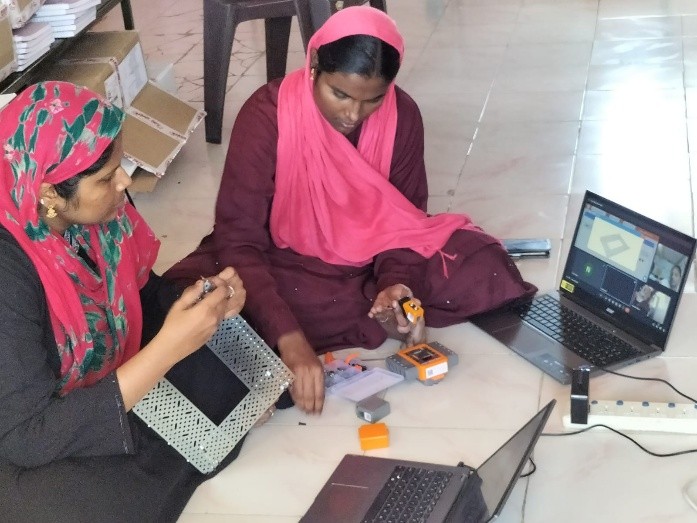
As an extension to the robotics pathway, 3D printers and drones are also being introduced in the RTCs to broaden students’ exposure to emerging technologies. Students will be able to design and print custom components for their robots such as brackets, joints, gears and structural elements, gaining first-hand experience with the modern prototyping practices used in engineering and industry. Alongside this, working with educational drones will help learners understand concepts such as aerial navigation, stability, and sensor-based control. By integrating mechanical design, automation, 3D printing and algorithmic control, students gain a more complete view of the engineering lifecycle and are empowered to innovate with practical solutions to real-world problems around them.
Input, Output and Outcome Trackers
We have been building our own trackers to track our assets, work done by our teachers etc. We have also been rigorously conducting assessments at all our programs and these data is also being tracked. Here are the changes we have brought in, in this regard.
Asset Tracker
With a large number of laptops spread across an equally large number of schools, we have done some automation of the asset tracking process.
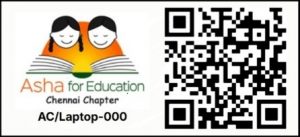
Each laptop is given an asset ID and an asset ID sticker with the asset ID and a QR code like below is stuck on the laptop. Once a quarter we have the teachers at all the school scan the QR code and report the status of the laptops. You can try scanning the QR Code below to report the status of a virtual laptop!
 This enables us to know the status of all the laptops. In addition to this we also have a pinger app that runs on all laptops we have provided which when connected to the Internet periodically send an “I am alive” message to our server. We can thus also know that the laptops are really being used and not just gathering dust in some bureau.
Problem reporting and tracking of the problems, is done using Google Forms and a Google sheet currently. This Asha Chennai Computer Maintenance (or CCM) is also being brought into our own server and can be triggered from the same QR code mentioned above.
Work (Output) Tracking
At the start of the Explore and ACE program, we were using a Google Sheet to track the work being done by the teachers and the trainers. Towards the end of 2023-24 academic year, we developed forms for teachers and trainers to report the work they were doing. Each time the teacher teaches a lesson, they report the detail. This includes the following,
- School (comes from the session).
- Teacher (comes from the session).
- Class and section (comes from the session unless they take multiple classes / sections).
- Date (comes from the system).
- Lesson they taught (comes prepopulated if they scanned the QR code at the end of the lesson in their teacher manual).
- Attendance – Has to be entered. Note that the total class/section strength is entered into the system at the beginning of the year.
- Comments or Notes if any.
As you can see from the above, there is very little that the teacher has to enter manually. They just scan the QR code at the end of the lesson and most of the form comes prepopulated and they just enter the attendance, add any comments and submit. Trainers who visit schools to assist/observe a class also submit a form on the class they observed. They are required to submit their own (trainer) name as well. Otherwise the form is similar.
Data Approval process
The teacher and trainer form submissions are viewed by “Lead Teachers” who then approve or reject the data entry. They can also edit and approve the data. This is then approved on a monthly basis by the “Administrator” for the ACE program.
Curriculum Tracker
For each curriculum we are implementing (ie. 1st year or DL, 2nd year Asha programming, 2nd year CSF Express programming), we have a tracker which shows the progress of the implementation over the academic year. In the picture below you can see the curriculum tracker for ACE v2 Digital Literacy in the year 2024-25.
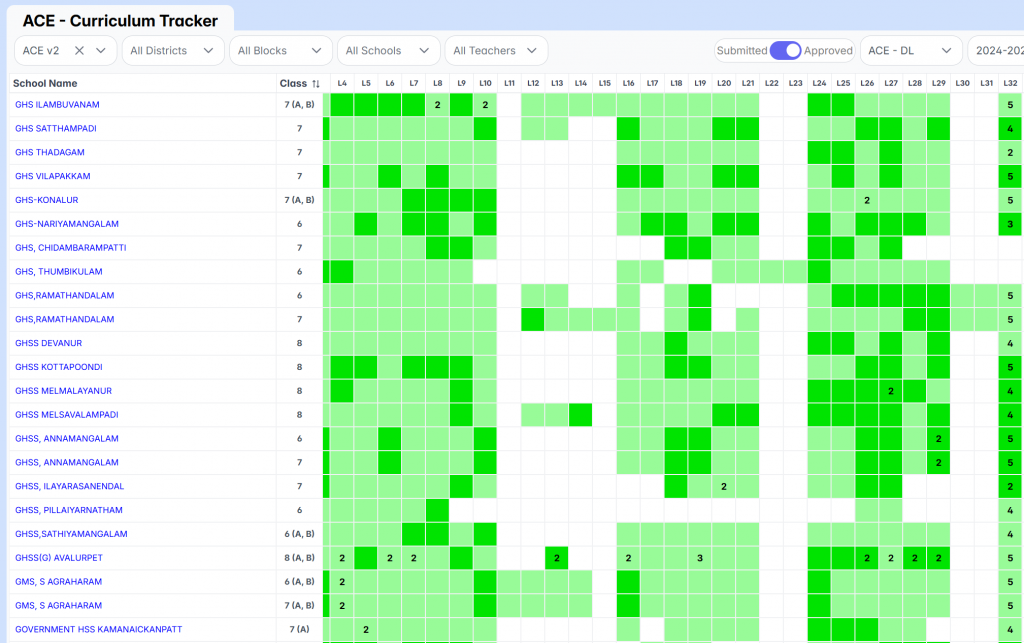
Each green square represents a lesson taught at the school. The reason some of the lessons (eg. L10 to L15) are white for most schools is that we dropped some of the lessons given the paucity of time. Dark green squares represent visits on that day by Asha trainers. The number in the square indicates that the same lesson was repeated multiple times either because the group was broken into two and separate classes taken or the lesson had to be repeated. If the lesson was taught in the wrong order (not in the pictures here), then that will be shows with a small red ‘x’ inside. Clicking on the lesson numbers at the top will open the lesson plan for that lesson and hovering will show the lesson title. Clicking on the green squares will provide the data entries (both trainer data and teacher data) corresponding to that school-class-lesson combination. The curriculum tracker provides a powerful tool to quickly get the status of the curriculum implementation at the schools and figure out any challenges at a school or with the curriculum.
Tracker for Explore
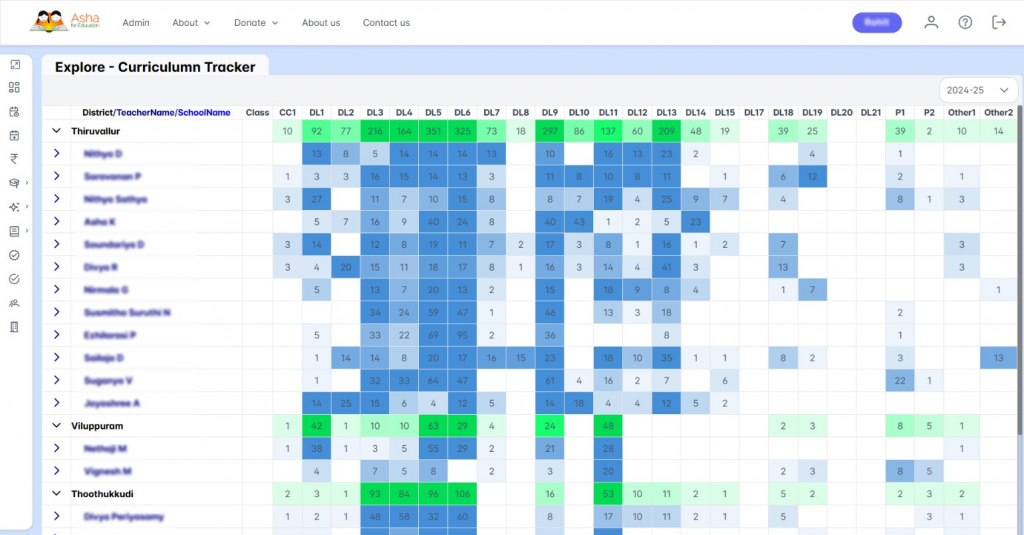
The Asha Kanini portal includes a comprehensive tracker for its Explore programme that enables systematic monitoring of activity coverage at multiple levels – overall, district-wise, and school-wise.
Trainers log each independent one-hour activity (such as digital-literacy, career tours, or upcoming AI modules) conducted in a school. The data is validated and approved at two different levels to ensure correctness of information and the tracker dashboard aggregates these data. This consolidated view allows lead teachers and others to assess which types of activities are most frequently implemented, how adoption varies across regions, and how overall participation evolves over time. Such a data-driven dashboard supports evidence-based decision making: it helps identify under-served districts or schools, monitor consistency of delivery and inform resource allocation or pedagogical adjustments.
The Explore tracker is built to capture each session of stand-alone learning activities as discrete, independent events. The tracker does not enforce a fixed sequential order. This flexibility reflects a key design decision: since explore-type activities are not part of a linear curriculum but optional enrichment sessions, the tracker simply records which activity was conducted, at what school, by whom, and when. Because of this structure, when we visualise data across schools or districts, the tracker naturally reveals which activities are more popular or easier to implement, for instance, activities requiring minimal resources and short duration compared to those needing more preparation due to its complexity or special tools. Over time, the data aggregated by the tracker helps identify common patterns: which types of activities tend to be repeated more often, which are under-utilised, and where there might be resource or training gaps. In other words, the tracker does more than log participation; it surfaces insights into teacher preferences, resource constraints, and implementation feasibility across different districts and schools. This way, the Explore tracker becomes a powerful tool not just for monitoring coverage but for guiding programme development and output tracking.
Tracker for Sprint Computer Teachers
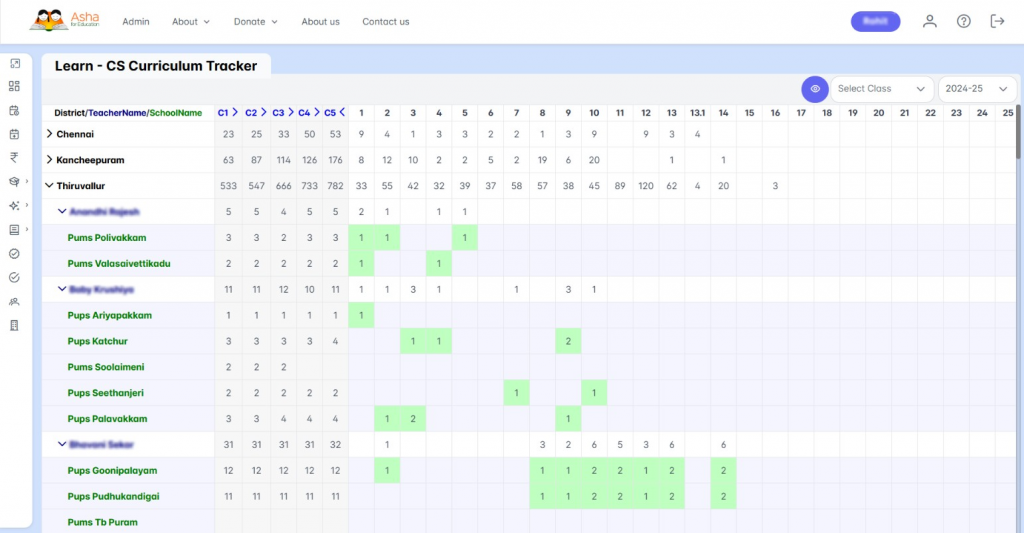
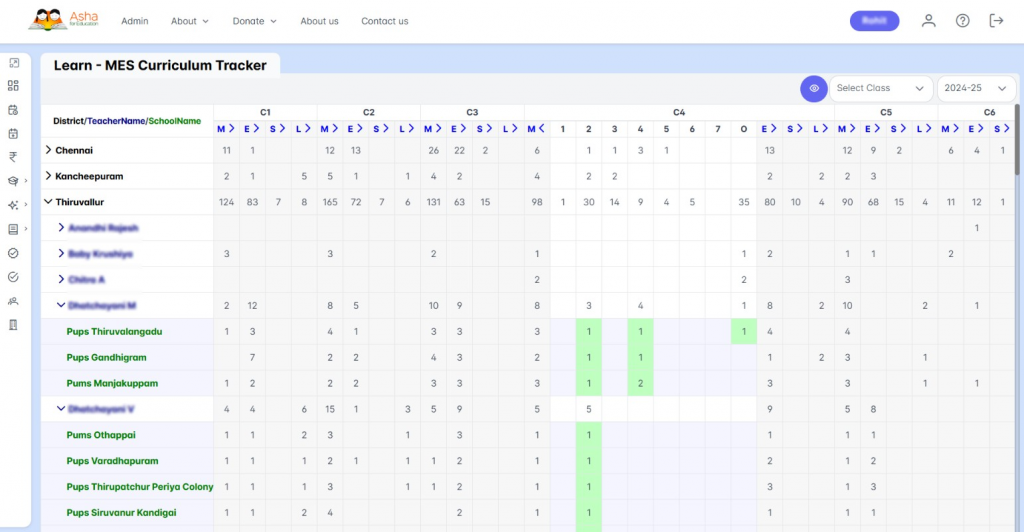
The Sprint CS Tracker has been designed to monitor the delivery of the Computer Science curriculum and the associated MESL (Maths, Science, English and Logical Reasoning) activities conducted by our computer science teachers in primary and middle schools.
The two parts of the Sprint tracker resemble the ACE tracker and Explore tracker. The CS curriculum follows a defined sequence of progressive lessons like the ACE curriculum. Whereas, the MESL activities are discrete activities like Explore activities. Therefore, the Sprint Tracker simultaneously supports multiple verticals of tracking, the structured Computer Science lessons and the Maths, English, Science, and Logical Reasoning (MESL) based activities that teachers select to build conceptual understanding. In addition, the tracker accommodates versions of curriculum taught. While many teachers may have transitioned to the latest curriculum version, some continue to follow earlier structures due to readiness or school-level constraints. Teachers record these choices and progressions, enabling the system to accurately reflect real implementation on the ground.
The tracker provides both aggregate and detailed views of this progress. The aggregated data summarises sessions delivered across classes and domains. The expanded views across columns show curriculum progression at each class level and the expanded view across rows show statistics at the teacher and school level. The data logging also allows teachers to capture deviations and adaptations made by them. For instance, a teacher may choose an activity from a different package over the prescribed ones from the MESL package. This is captured by the tracker. The tracker also captures repetitions of topics or classes, often indicating where learners require reinforcement and records dates for each session, enabling analysis of patterns such as extended gaps that may disrupt learning continuity.
Together, these insights help identify what is working well and where additional support may be needed. Through this horizontal and vertical visibility, the Sprint Tracker strengthens accountability and planning. By visually tracking output and seeing factors like curriculum coverage, repetitions, pacing and curriculum deviation, we can identify gaps and make informed improvements to our curriculum and implementation.
Trackers for RTC and KaradiPath Programs
The RTC and Karadi Path trackers are currently under development and extend the principles established through the Sprint and Explore trackers.
The RTC tracker is designed to monitor course delivery across RTCs, offering both aggregate progression views at the centre level and detailed, student-wise tracking for each course. As with Sprint, the RTC tracker will highlight patterns such as repetition of lessons, pacing variations and deviations from planned curriculum flow if any. This will help to identify where additional support or adjustments may be needed in curriculum and implementation.
The Karadi Path tracker addresses the Karadipath program’s curriculum progression in a structured sequence. Tracking coverage, continuity, and reinforcement across classes will provide valuable insight into instructional patterns.
Over time, combining this output data from trackers with assessment analytics will allow us to study how far aspects such as curriculum progression, frequency of revision, or disruptions align with student performance in English oral and written assessments. This creates a meaningful evidence stream to understand what is happening in classrooms and to refine programme implementation based on real usage patterns.
Extension to our Baseline and Endline Assessment
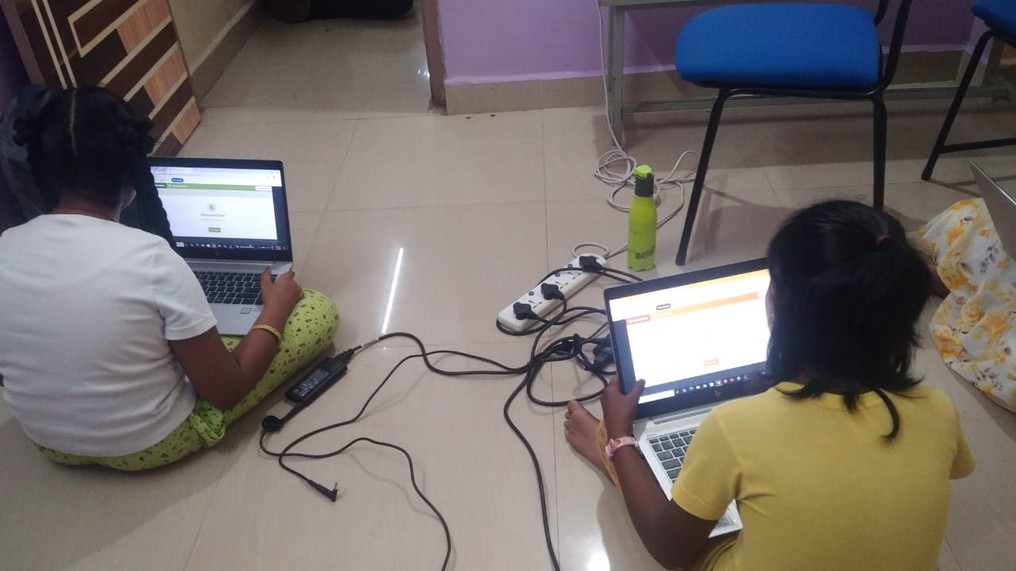
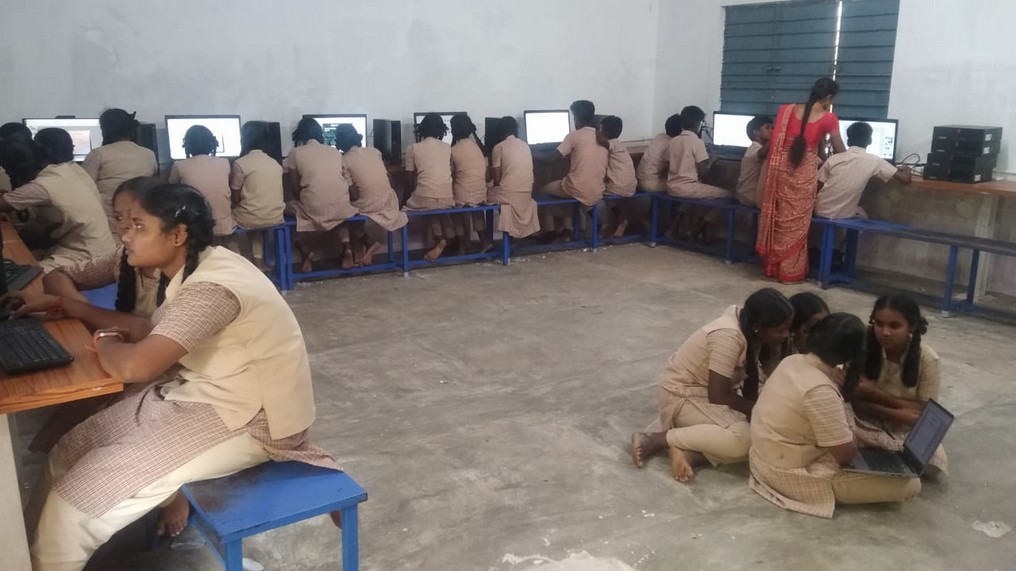
We have been using the Northstar Digital Literacy Assessments to conduct Baseline and Endline assessments for a random sample of our students for a couple of years now. This was done for students who have just joined our Digital Literacy course and those who have just completed the same course. Starting from Feb/Mar 2025, we started doing the same assessment for students who have completed 3 courses with our RTCs.
See the section below under assessments for more details.
Assessment Analytics
Asha’s assessment analytics system has been strengthened with several new capabilities that enable richer and more structured views of student performance across schools, programmes and time. These enhancements support comparisons at different levels and allow us to study how learning progresses over years and across different contexts. Recent implementations include:
- Analytics across subjects: enables comparisons like English vs Maths performance at both student and school levels to observe alignment between subjects
- Oral vs written assessment correlations: helps understand consistency across different modes of testing
- CS Programme linked performance views: helps connect Computer Science assessments with academic performance in English and Maths
- Ranking-based comparisons across years: tracks how school rankings shift or remain stable over time, independent of teacher movement
- Longitudinal tracking of individual students: uses a persistent TrackerID to follow the same students from one grade to the next (e.g. 2nd to 5th to 8th), enabling multi-year progression analysis
- Historical trend analysis: compares yearly performance to study effects of events such as Covid disruptions and the pace of learning recovery
- School structural analytics: relates performance to factors like overall school strength and student-teacher ratio
- Geographic and medium-based comparisons: allows regional performance views and comparisons between English and Tamil medium schools
- Programme analytics for Karadi Path: shows English performance in relation to level of exposure to the KaradiPath programme
- Cross-sectional sociological analytics: relates student performance to parental education, preschool exposure, attendance, homework regularity.
- School and Student cross-sectional analytics: relates student performance to class composition (e.g. SC/ST %, BPL %), Medium, Mini school enrolment during Covid period, Region like TN and UP etc.
Together, these expanded analytical perspectives provide a strong basis for studying learning patterns more meaningfully across contexts. One promising direction we can consider is combining them with output-tracking data to enable even deeper insights into implementation and its relationship with performance.
Processes at our Programs
We have been evolving the various programs in several smaller ways as well. Here we capture some of these process improvements at our programs.
Infrastructure at the RTCs
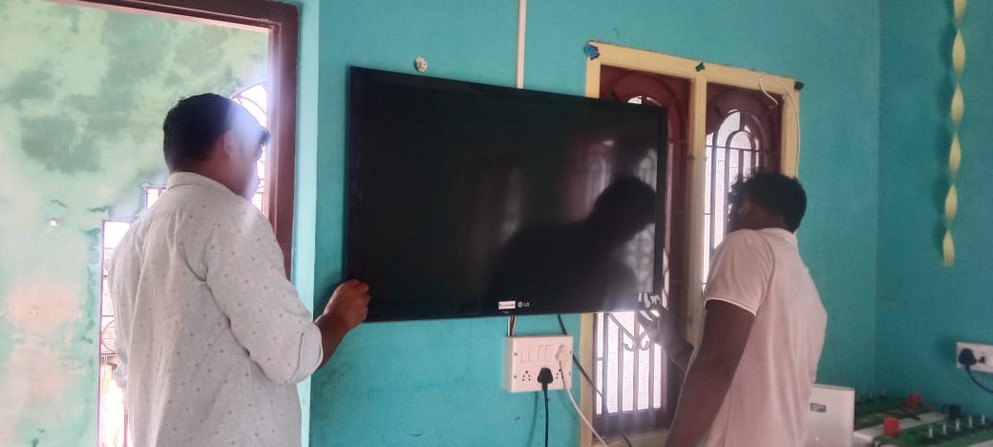
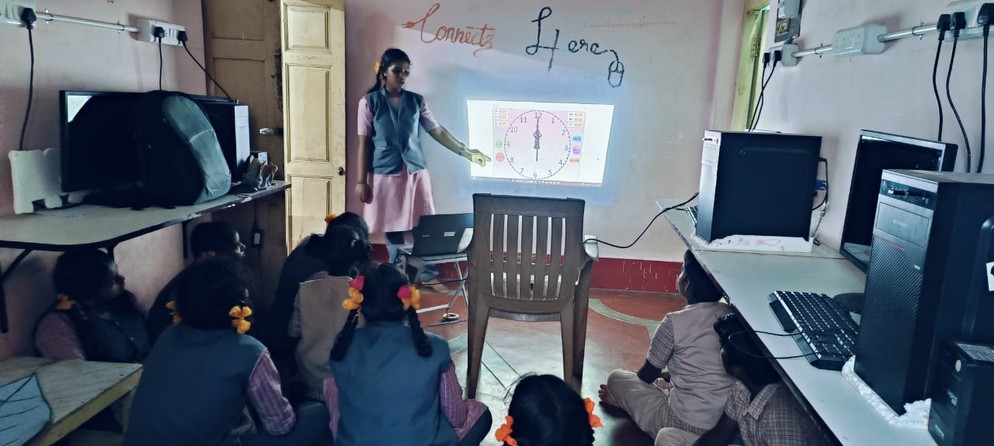
With laptop donations from Amazon, all our RTCs are well equipped with computers these days. In some of the RTCs we have been able to add a printer. Most of the RTCs have also gotten either a projector or a big screen TV. While a Smart Class system would have been ideal, teachers can now teach a class connecting their laptops to either the TV or the projector.
We have also always viewed the RTCs as digital resource centers for students to come experience technology. Towards this end, we are also looking at purchasing some 3D printers and drones that will be made available to the RTCs that the children can play with. The 3D printers can also be used in our new Robotics course. Drones with camera can be used in our media editing course. We are planning to see how we can also incorporate programmable drones into our curriculum.
Amazon TIS Makerspace Training
Asha is partnering with Amazon on various computer education related programs. As a part of that, they invited us to bring our children to the Makerspace they have built in partnership with TIS (The Innovation Story) in Bengaluru. In July we took 50 children from our various RTCs to the Amazon TIS Makerspace. They got an exposure to a lot of latest technologies like Robotics, Drones, 3D Pens, 3D printers etc. TIS also prepares teams for various premier Robotic competitions like First Robotics, FirstTech Challenge etc. The students could see the kind of robots that the TIS teams have created for their competitions.
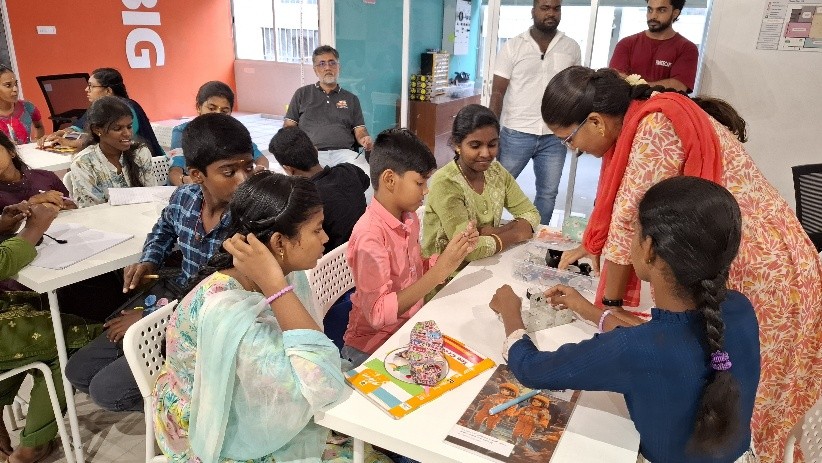
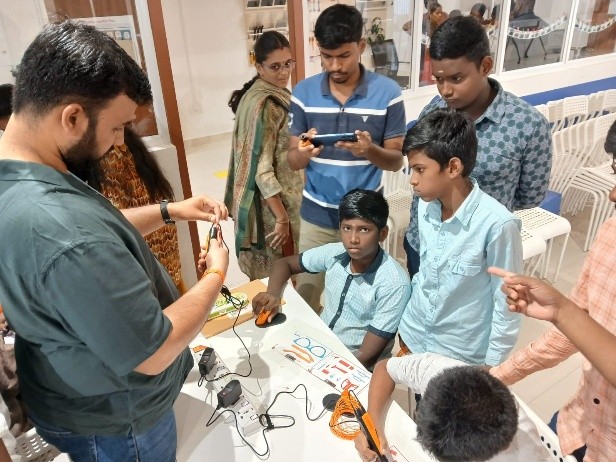
For many of the students, this is also the first time they are travelling anywhere overnight outside of their homes. It was a great experience for them. We have agreed with Amazon to bring 50 of our children to this training 3 times a year (at the beginning of each academic term).
Teacher Training Model
Teacher training is something we have to constantly do as we are introducing new courses. New teachers are also constantly being added to all our programs. There is a regular teacher training over video conference being handled by volunteers as well as the more senior teachers themselves. Teachers are allotted to these training sessions based on our assessment of their skill levels which is done with an annual Teacher Evaluation Test conducted in June every year. With our software development team getting involved in the course design, they have also got involved with the teacher training especially for the courses that they have designed. See the section below for another initiative we have launched to upskill our teachers.
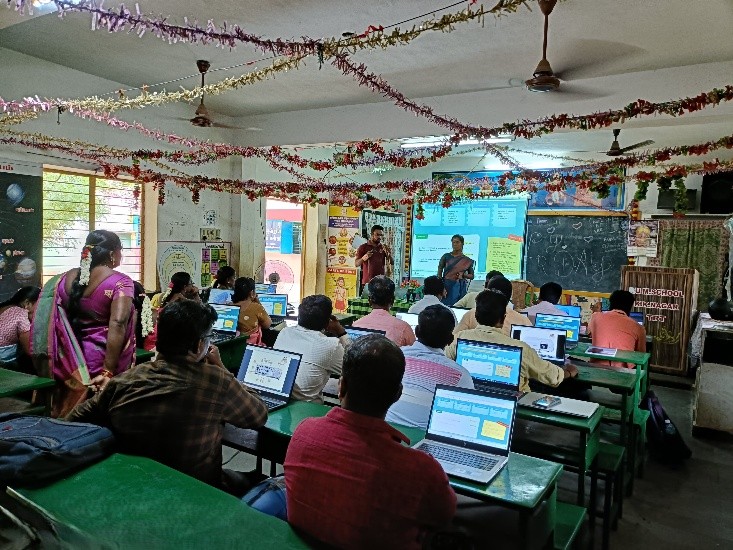
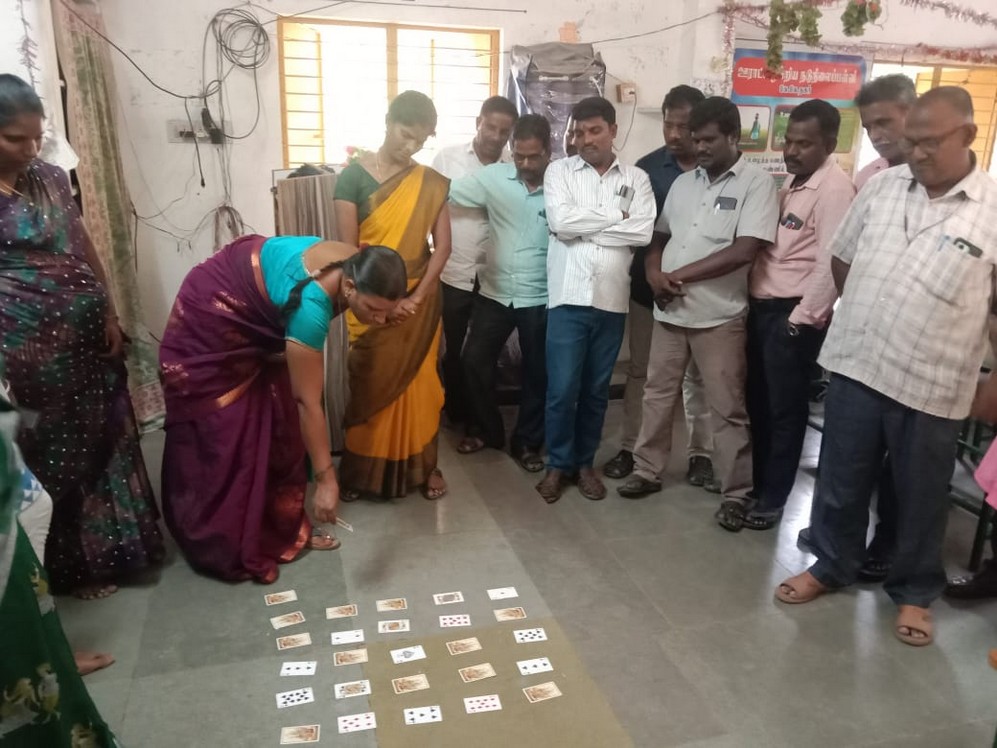
In addition to this, our ACE program is all about teacher training. Asha Chennai has been training government teachers to implement a two year curriculum in Computer Science. The first year curriculum covers Digital literacy and the second year curriculum covers programming. These teachers are mostly from non-CS background and the entire curriculum needed to be taught to the teachers. We have followed a training plan that includes the following.
- Teacher as a Lead Learner – Teacher is not expected to be an expert in the subject. The teacher will learn the topics just a little before the students and be able to guide the students to also learn the lessons.
- Frequent training sessions – We have one training session a month where the teachers learn between 4 and 6 lessons for the upcoming weeks. That way there will not be a long gap between their training and actual implementation of a lesson in the class.
- Hand holding at the point of delivery – If the teacher has any doubt when teaching a lesson in the classroom or before that as she refreshes, our trainer team will be available to answer any questions. Our trainers will travel to the school once a month to address any doubts and also participate in the teaching of one lesson when he/she is there. Any problems with the infrastructure is also similarly addressed in the classroom by the trainers or a system admin.
With this training model, we have had a tremendously successful first year with the DL curriculum. The same success is continuing into the second year programming curriculum as well.
Teachers as Software Developers
We started trying another interesting experiment with teacher training. The world over, one of the main problems is to keep the knowledge of the teachers up to date especially in a fast changing area like Computer Science. We felt the best way to achieve this is to get the teachers also involved in software development. This will serve multiple purposes.
- Teachers will learn the latest tools and methods of software development and gain an understanding of the real-world challenges in doing this.
- As the software development in Asha is geared towards education, teachers’ participation will bring in their expertise on the needs of the school/teacher/students into the development process. The software developers will also gain from this experience in their midst.
- Given a large difference in salaries between software developers and teacher this will provide the teachers an opportunity to earn some extra money and even transition to a developer role. It will also provide Asha an opportunity to lower the cost of development.
Some teams of teachers have got involved in this kind of software development and the experiment has been progressing well!
Certificate Distribution Function
The Assessment and the RTC Impressions events mark the end of the term at the RTCs. Typically, after the RTC Impressions, the RTCs host a certificate distribution function for all the students who have obtained a certificate in that term (cleared the assessment and submitted an acceptable project for the course). They also give the children a good lunch during this time.
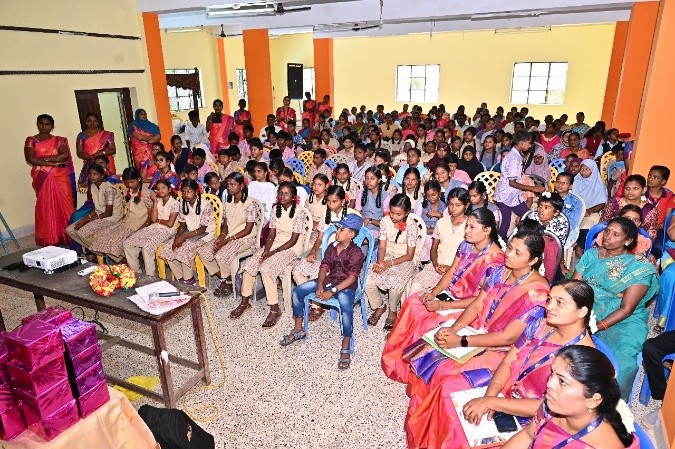
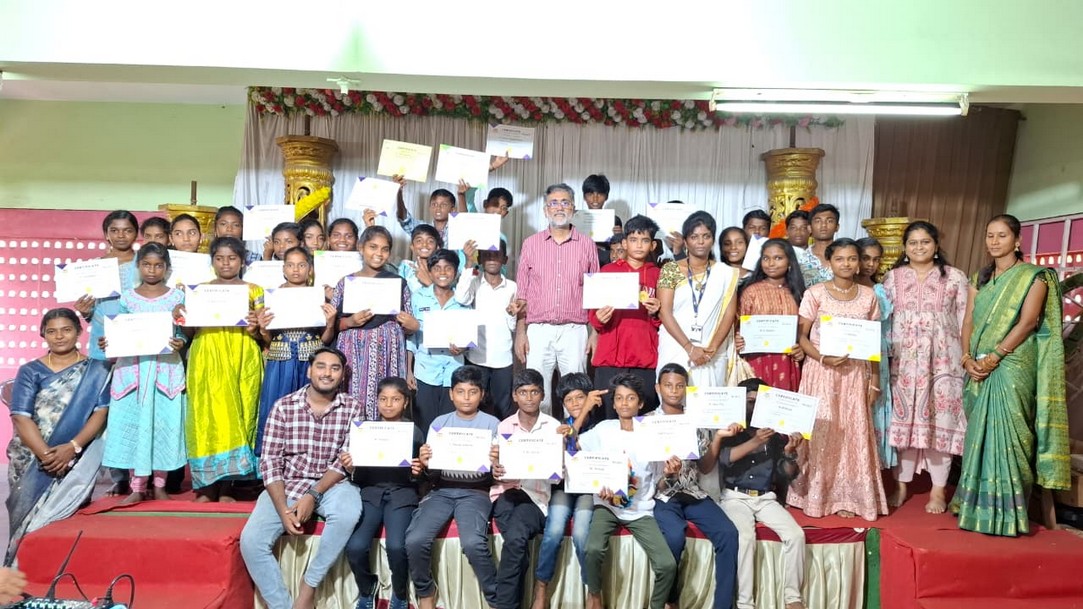
One of the main reasons for hosting the RTC Impressions event was to provide the children a way to develop the skills required to present their work to other, overcome stage fear etc. With the increase in the number of RTCs, this chance was getting harder to come by for most students. We decided this time to bring neighbouring RTCs together for the certificate distribution function and make this a platform for the students of these RTCs to showcase their projects before judges, while also facing Q&A. In these events Asha volunteers and staff acted as judges. Further this also would give the parents and the local school teachers an opportunity to see what these children are learning. This proved to be a great success at all the communities. Organised at local wedding halls, these brought together the parents, the students, the teachers, the govt. officials and the volunteers in a function. We hope to continue this new tradition.
Impact Assessment of our ACE and RTC Programs
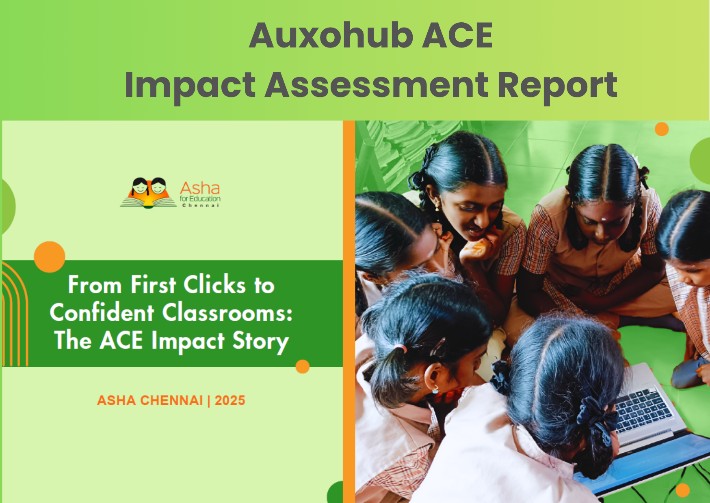
An independent impact assessment conducted by AuxoHub between Jan to March, 2025 covering 60 students, 9 teachers and 27 others including government school teachers, judges at the RTC events, etc. It highlighted over 90% pass rates, strong digital literacy gains, and improvements in Maths, English, and problem-solving. Children who had never had the opportunity to touch a computer now confidently write code, design projects to solve real-world challenges, and present their work with pride. You may read the complete report here or the summary presentation here.
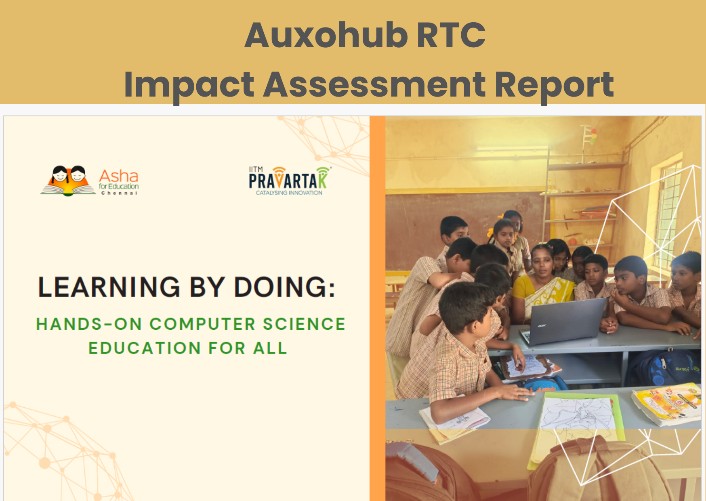
Asha has been working hard to ensure RTCs continue to innovate and provide the best education for school children in technology in a cost effective manner. With support from IITM Pravartak and donors, we hope to continue that work.
Funding and Conclusions
These innovations were largely driven by our software developers and senior teachers. These were made possible due to the grant we received from Amazon Innovation Grant in Dec 2024.
We have received another $100K (Rs 87 Lakhs) of funds from Amazon Innovation Grant in Nov 2025 as well. While we as an organization remain focused on innovating what we are doing, this funding enables these bold experiments.